|
Welcome,
Guest
|
|
Excellent, thank you - I can load and edit this file, and use it as normal in my models. I will try another variant later - I understand you are still investigating, and look forward to being able to do this myself.
Regards, Chris |
|
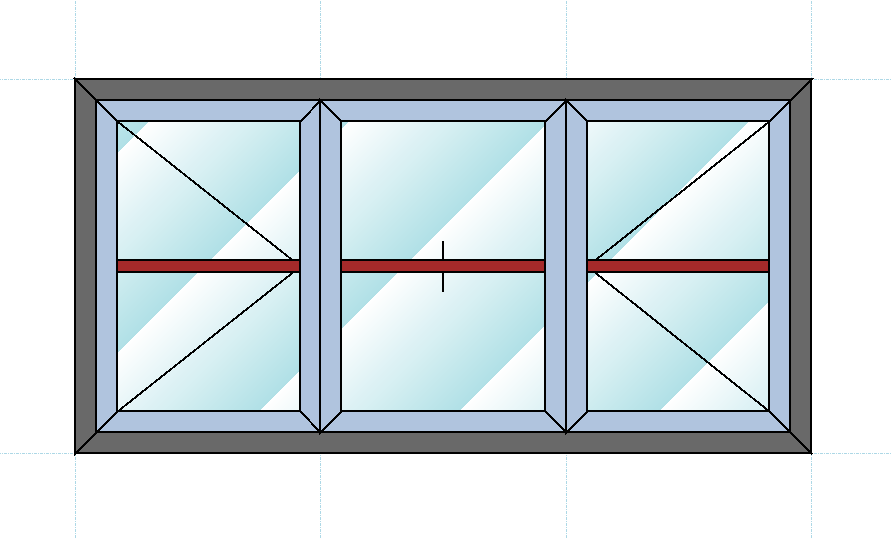
Please find attached a link to download a casement windows .con file consisting of 3 H Bar sections:
Casement3HBars.con This file should be saved to: C:\Program Files\Visual Building Premium 5\AEC\WindowConstructions It will then appear in your Window Constructions catalogue The use of the Windo Construction tool is explained here: Applicable to Visual Building Premium only. |
|
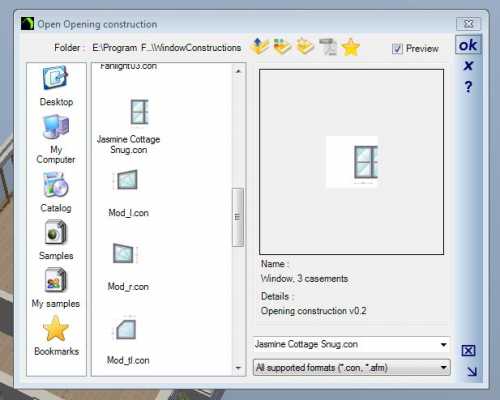
Near the end of a long day, hoping i am not missing something, but I can't see what. I can open all the window constructions except the two I have saved. I can see them in the dialogue box, but 'OK' does nothing.
Screen clips attached, and one of the problem .con files. Aaarrggghh! ;-) |