|
Welcome,
Guest
|
|
Are you trying to snap a guideline to another guideline or object, or are you trying to snap a wall to a guideline?
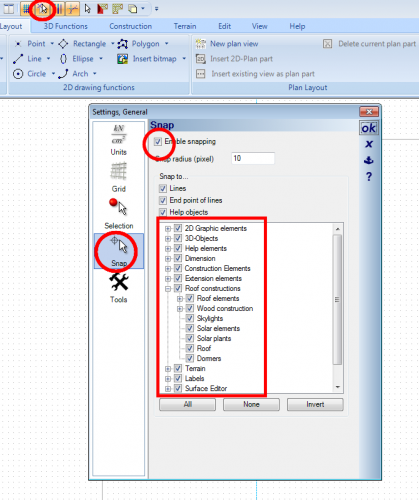
Here are some common items concerning snapping: When snapping a wall use Ctrl+W to change the snapping point from wall edge to centre line. Be sure that you have snapping switched on. Its easy to switch off in the Quick access toolbar ( nect to grid icon). Snapping properties can be changed for different objects. Right click on Snap tool to activate the following propeties panel: |